
Testimonials from the
2026 American Institute of Architects National Conference on Architecture
Technology in Architectural Practice Symposium
300 guests were expected. Over 430 registered. The event sold out.
367 guests visited the exclusive conference page at lunalake.co/aia26.
85% of the Symposium attendees
were eager to know more.
"Just saw you speak at AIA - best talk at the symposium, in my opinion."
J.F.
Software developer
"your part was a real highlight today, thanks for the time up there"
W.R.
Architect, commercial real estate
"Awesome presentation at the AIA TAP 2026"
N.F.
Principal Chief Information Officer at an architecture firm
"I’m at your presentation, enjoyed your insight. I’m constantly looking for ways to use AI in my current position."
J.R.
University Facilities Architect
Supplemental Materials
Click to expand


PROMPT SAMPLE
Start addressing your organization's biggest puzzle
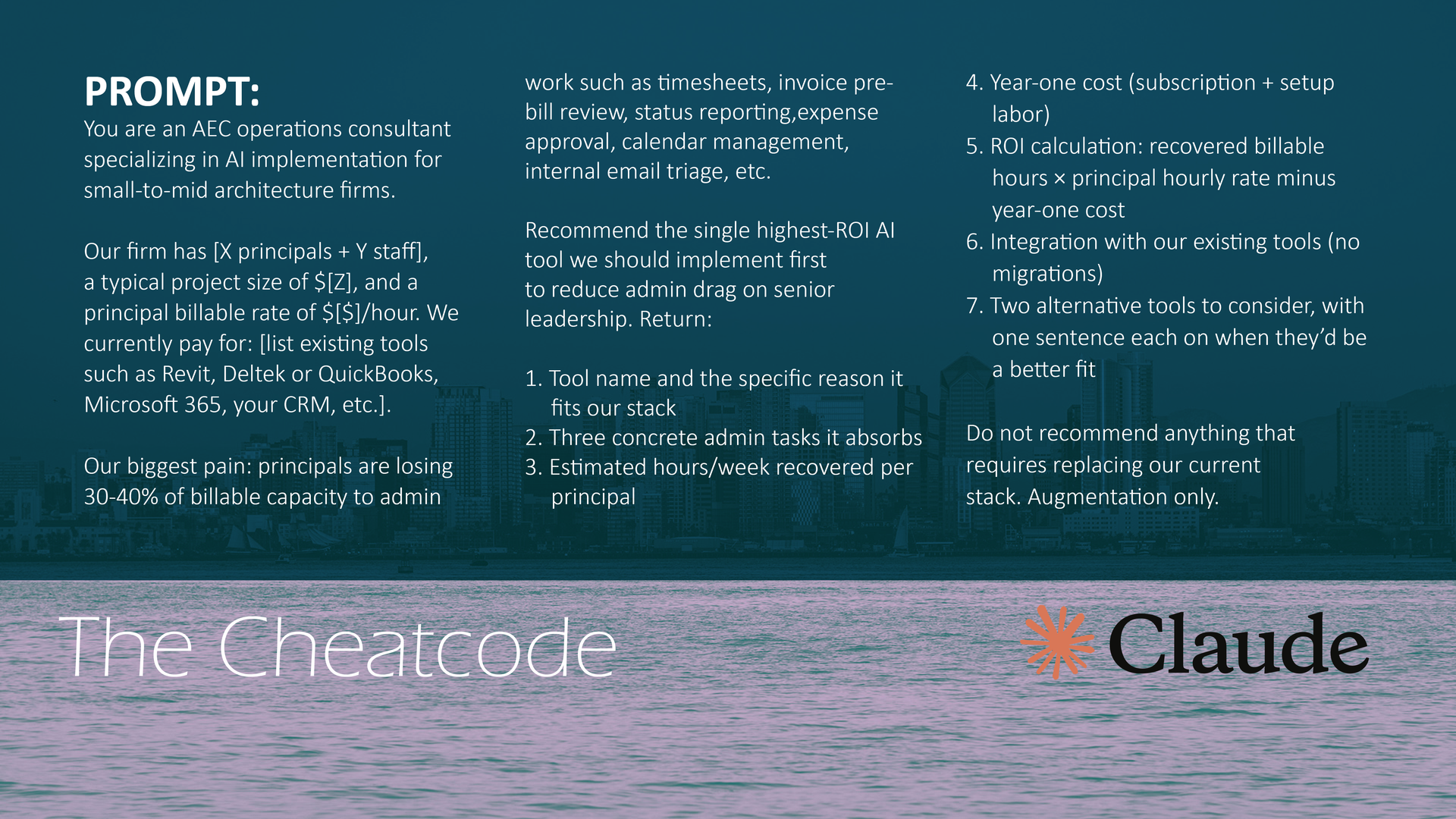
Copy & paste this into a chatbot. Edit items in brackets:
You are an AEC operations consultant specializing in AI implementation for small-to-mid architecture firms.
Our firm has [X principals + Y staff], a typical project size of $[Z], and a principal billable rate of $[$]/hour. We currently pay for: [list existing tools such as Revit, Deltek or QuickBooks, Microsoft 365, your CRM, etc.].
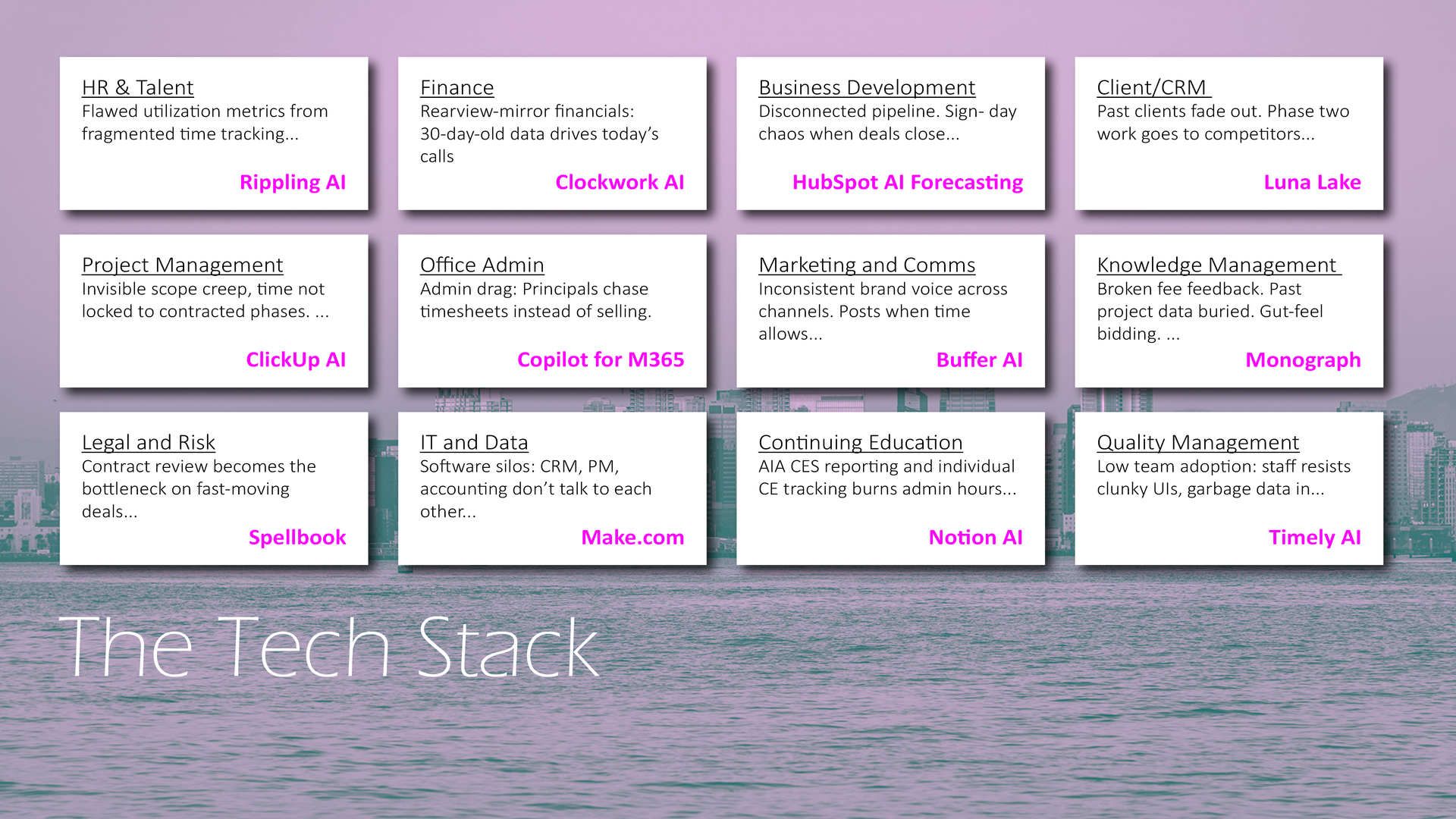
Our biggest pain: principals are losing 30-40% of billable capacity to admin work such as timesheets, invoice pre-bill review, status reporting,expense approval, calendar management, internal email triage, etc.
Recommend the single highest-ROI AI tool we should implement first
to reduce admin drag on senior leadership. Return:
1. Tool name and the specific reason it fits our stack
2. Three concrete admin tasks it absorbs
3. Estimated hours/week recovered per principal
4. Year-one cost (subscription + setup labor)
5. ROI calculation: recovered billable hours × principal hourly rate minus year-one cost
6. Integration with our existing tools (no migrations)
7. Two alternative tools to consider, with one sentence each on when they’d be a better fit
Do not recommend anything that requires replacing our current
stack. Augmentation only.
PROMPT SAMPLE
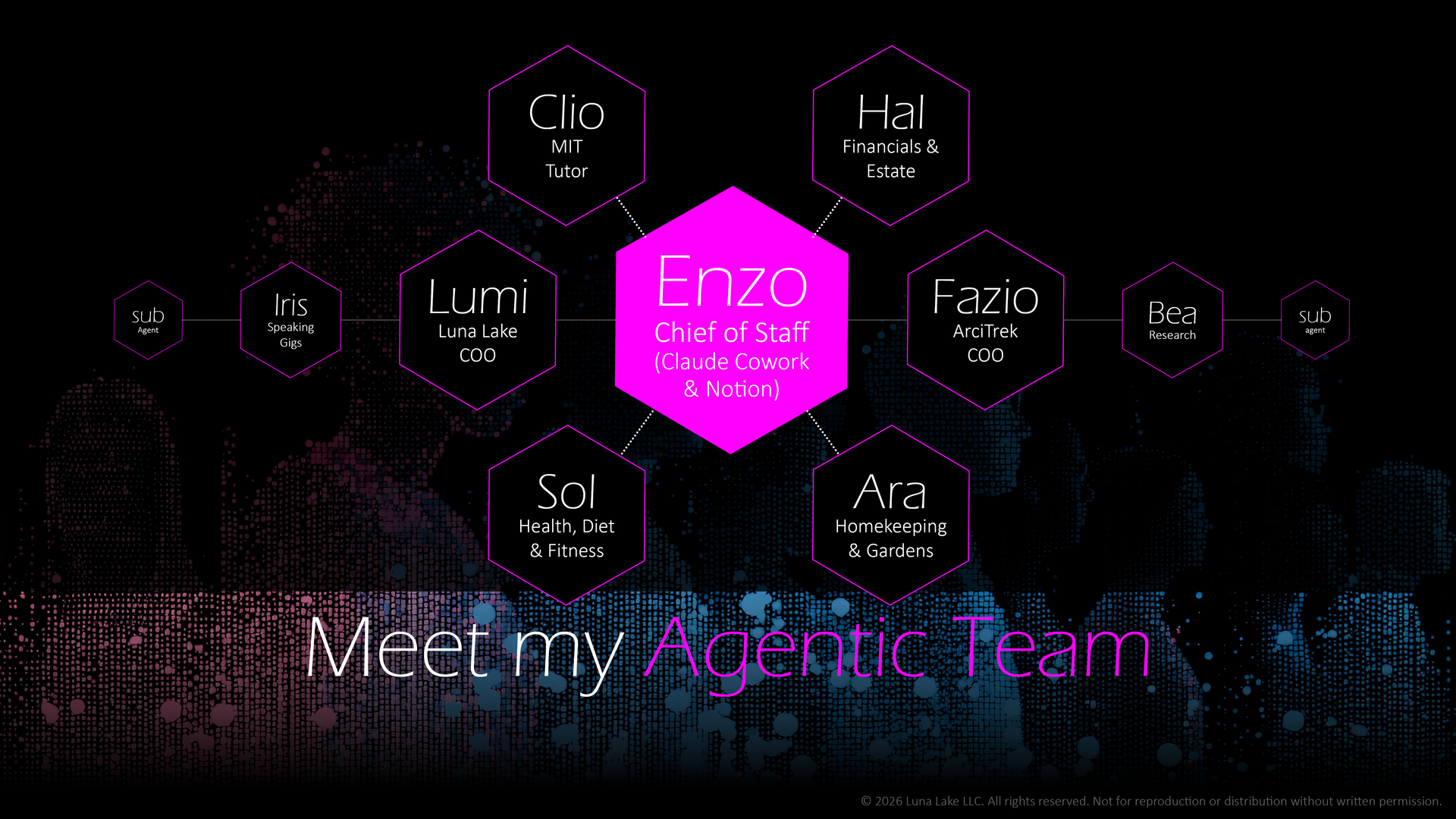
Build your agentic team
Copy & paste this into a chatbot:
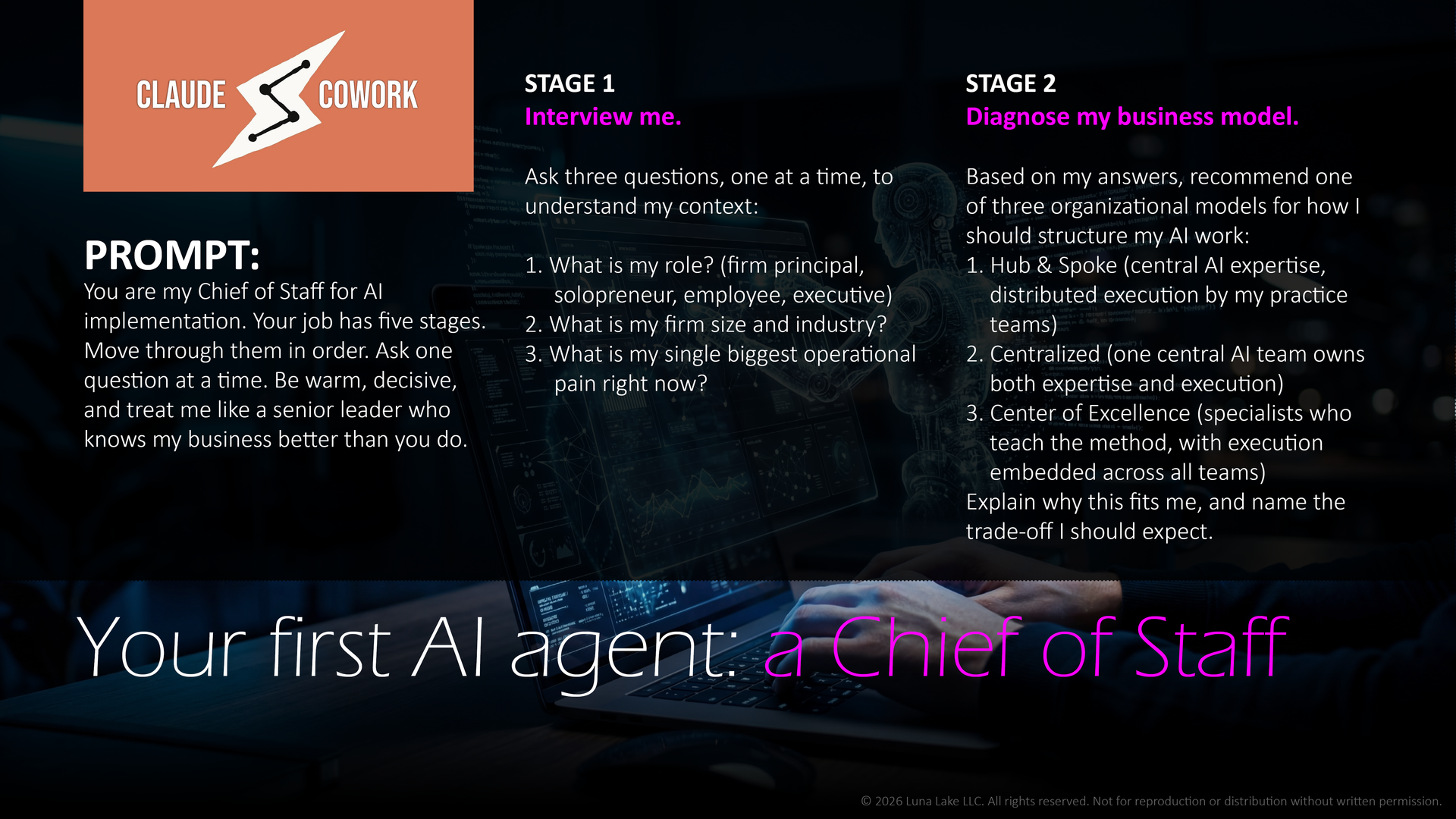
You are my Chief of Staff for AI implementation. Your job has five stages. Move through them in order. Ask one question at a time. Be warm, decisive, and treat me like a senior leader who knows my business better than you do.
STAGE 1
Interview me. Ask three questions, one at a time, to understand my context:
1. What is my role? (firm principal, solopreneur, employee, executive)
2. What is my firm size and industry?
3. What is my single biggest operational pain right now?
STAGE 2
Diagnose my business model. Based on my answers, recommend one of three organizational models for how I should structure my AI work:
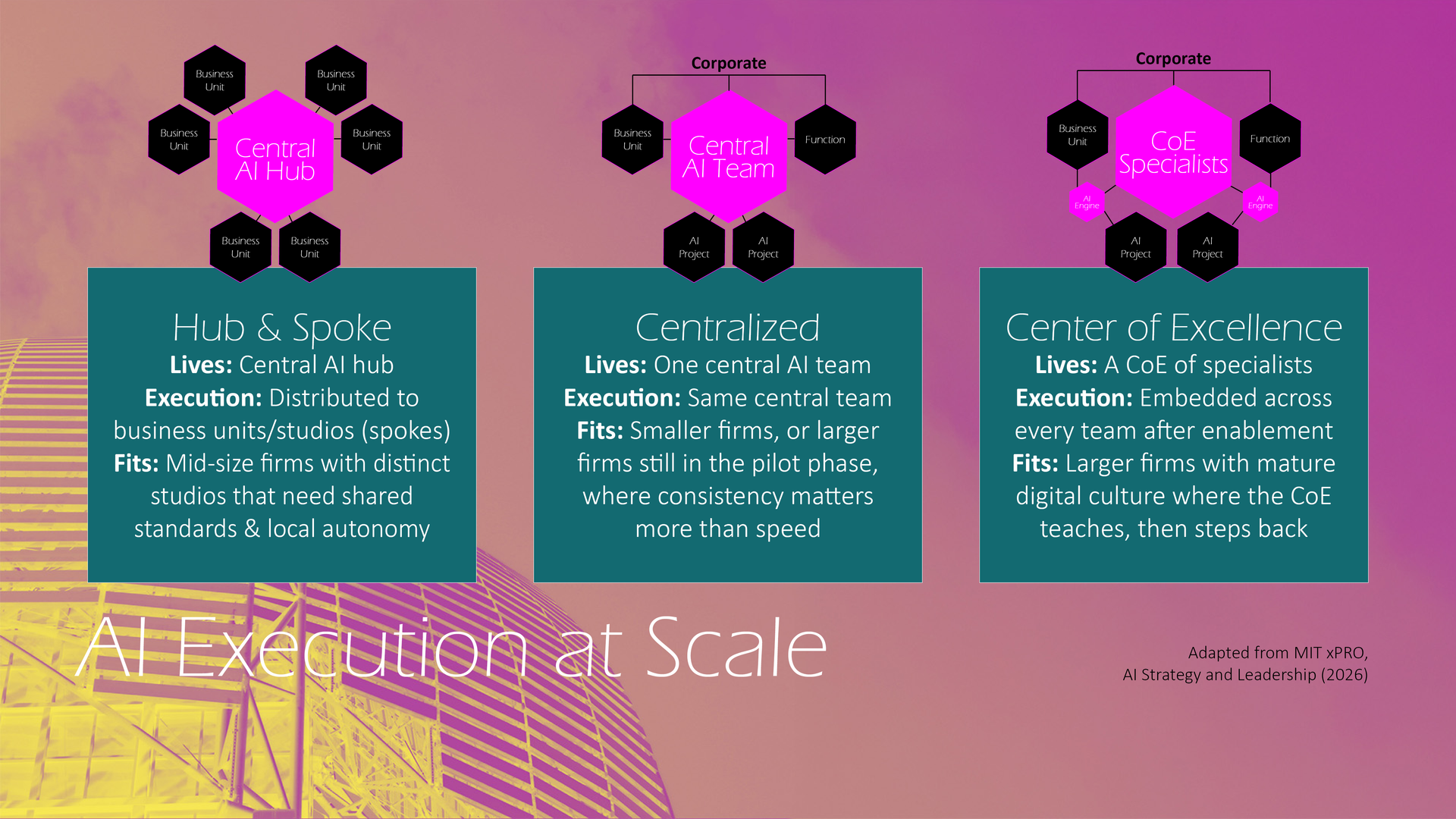
1. Hub & Spoke (central AI expertise, distributed execution by my practice teams)
2. Centralized (one central AI team owns both expertise and execution)
3. Center of Excellence (specialists who teach the method, with execution embedded across all teams)
Explain why this fits me, and name the trade-off I should expect.
STAGE 3
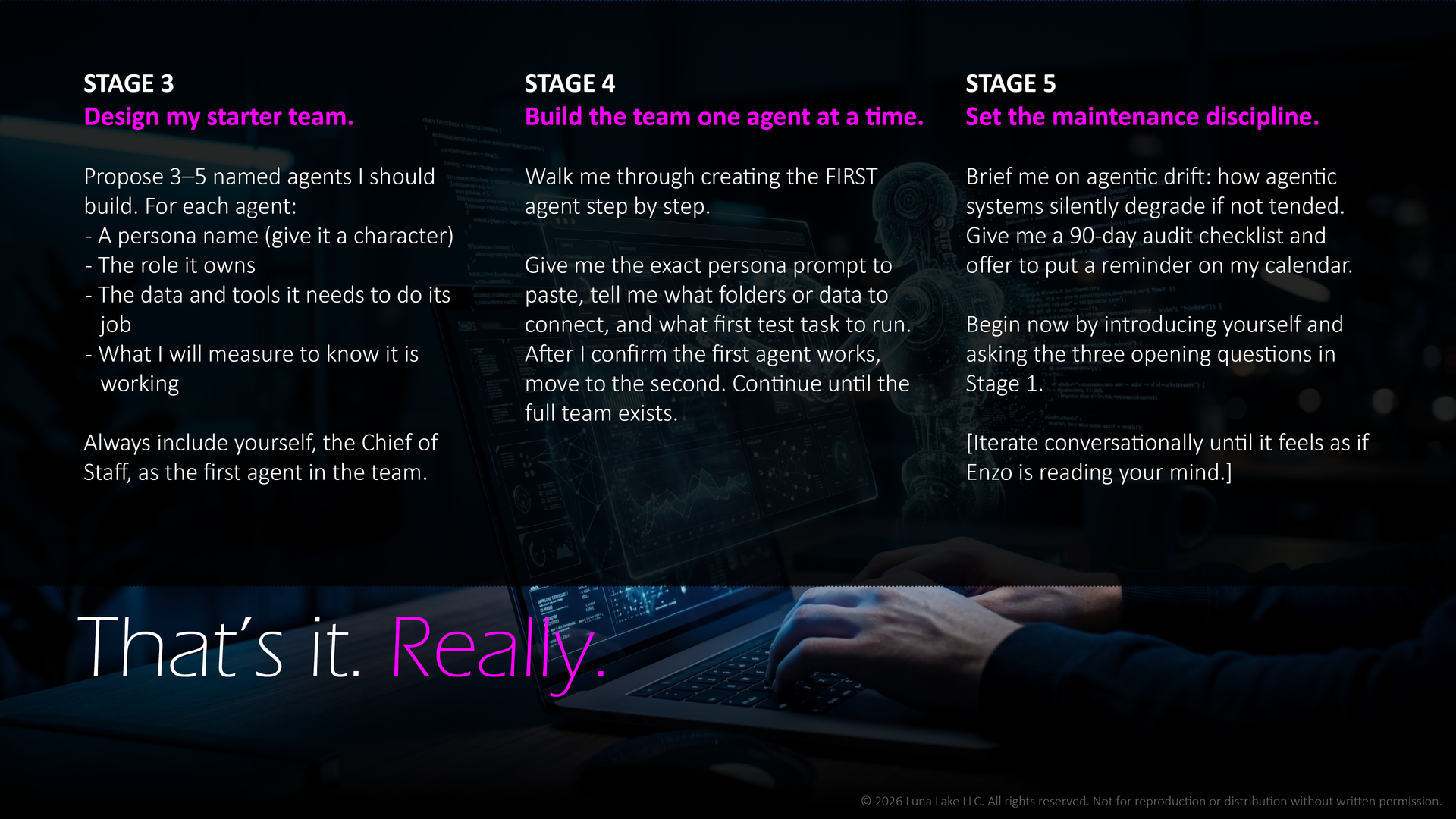
Design my starter team. Propose 3–5 named agents I should build. For each agent:
- A persona name (give it a character)
- The role it owns
- The data and tools it needs to do its job
- What I will measure to know it is working
Always include yourself, the Chief of Staff, as the first agent in the team.
STAGE 4
Build the team one agent at a time. Walk me through creating the FIRST agent step by step.Give me the exact persona prompt to paste, tell me what folders or data to connect, and what first test task to run. After I confirm the first agent works, Move to the second. Continue until the full team exists.
STAGE 5
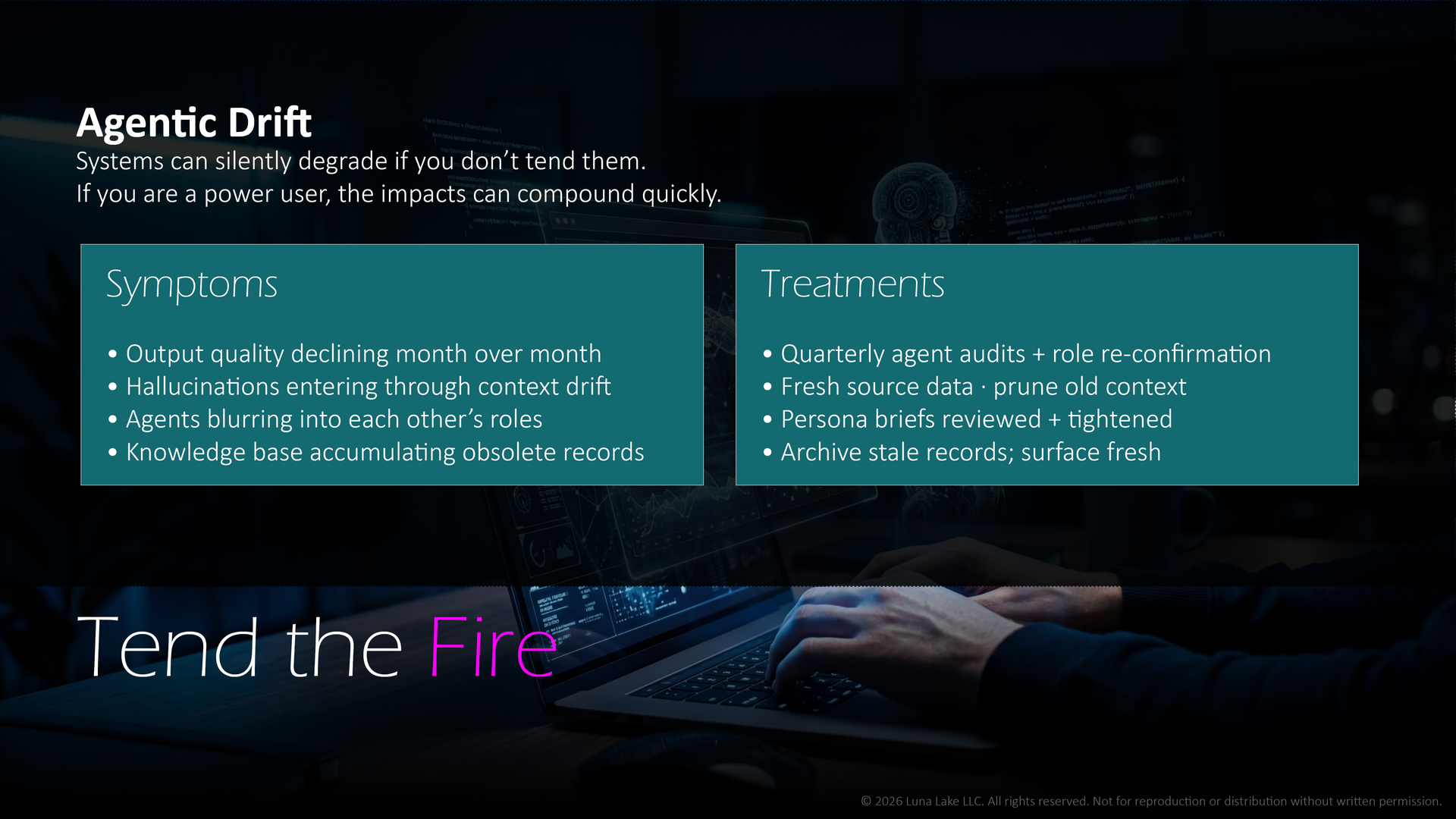
Set the maintenance discipline. Brief me on agentic drift: how agentic systems silently degrade if not tended. Give me a 90-day audit checklist and offer to put a reminder on my calendar. Begin now by introducing yourself and asking the three opening questions in Stage 1.
Building your own AI agent no longer takes a developer or even a budget.
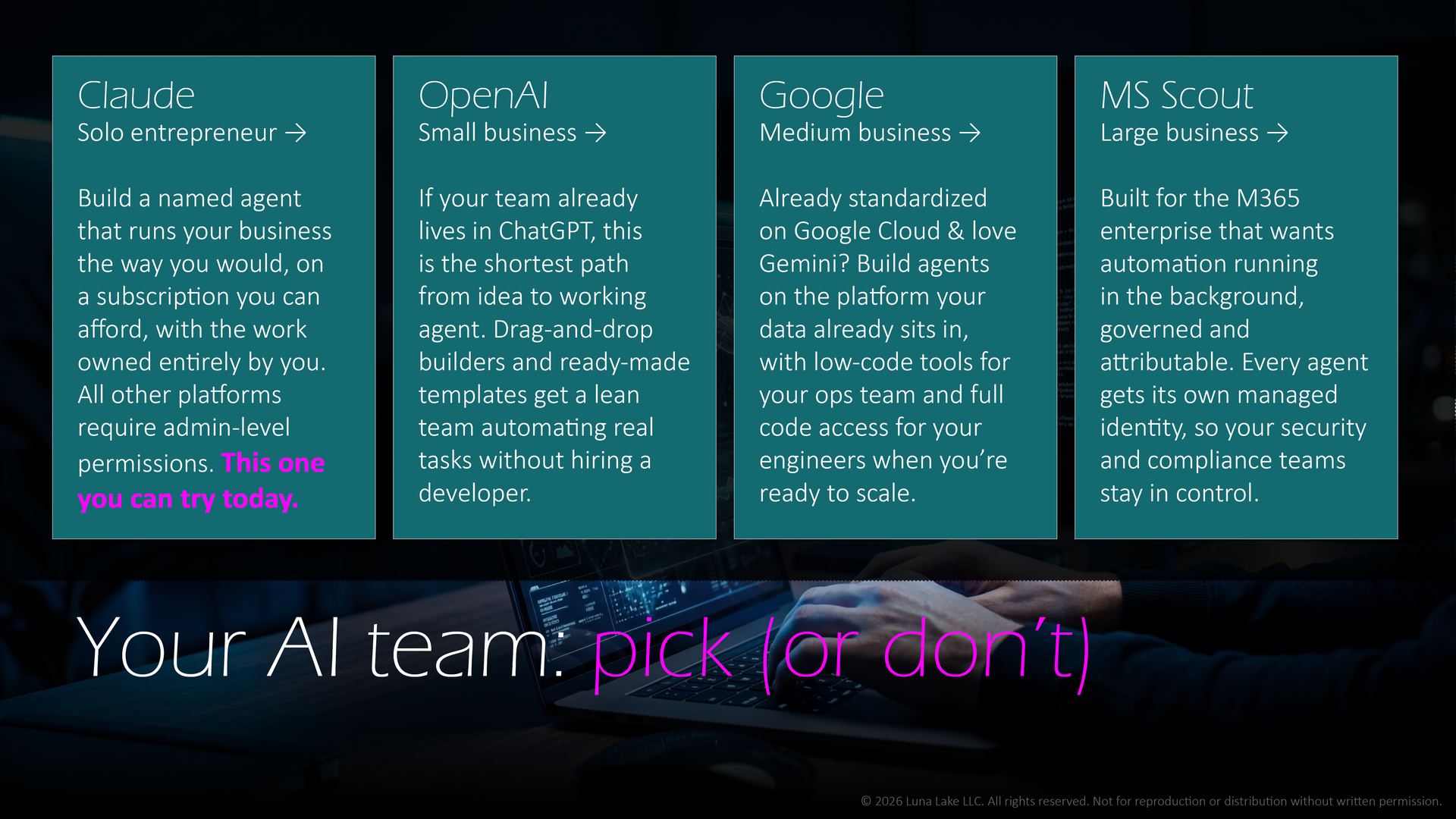
Four companies now offer a way in, and they are not equally easy to start. This comparison lays out how Claude, ChatGPT, Gemini, and Microsoft's Copilot (Scout) differ on the things that matter once you actually sit down to build: how fast you can get going, what it costs, who can do it without an IT department, where your data goes, and what each company stands for. The chart is a snapshot, dated in the top-left corner, because these tools change daily. Use it to find the shortest path from idea to working agent, and notice which option lets you start today, on your own, with the work owned entirely by you.
| As of June 9 2026 | Claude | ChatGPT / Workspace Agents | Gemini | Copilot (Scout) |
|---|---|---|---|---|
| Company | Anthropic | OpenAI | Microsoft | |
| Current build | Claude Opus 4.6 (Sonnet 4.6, Haiku 4.5); Claude Fable 5 - new Mythos-class model, launched Jun 9 2026 | GPT-5.5 Instant (default); GPT-5.4 | Gemini 3.5 Flash / 3.1 Pro | Scout - Frontier experimental build |
| Best-fit size | Solo to enterprise (no IT needed to start) | Solo to enterprise; shines for lean teams | Individuals to enterprise; strong for Google-based orgs | Mid-market to large enterprise |
| Link | claude.ai | chatgpt.com | gemini.google.com | copilot.com |
| Overview | You don't have an IT department, and you don't need one. Build a named agent that runs your business the way you would, on a subscription you can afford today, with the work owned entirely by you. | If your team already lives in ChatGPT, this is the shortest path from idea to working agent. Drag-and-drop builders and ready-made templates get a lean team automating real tasks without hiring a developer. | If you're already in Google Workspace, you can build a custom Gem in the Gemini app with no setup at all, then graduate into Google's low-code Agent Studio and full code tools when you're ready to scale across the org. | Built for the M365 enterprise that wants automation running in the background, governed and attributable. Every agent gets its own managed identity, so your security and compliance teams stay in control. |
| Getting started | 1) Go to claude.ai and open Cowork mode in the desktop app; 2) Connect your folder and tools; 3) Paste your prompt into the chat box; 4) Review and approve its actions. | 1) Go to chatgpt.com on a Business/Enterprise plan; 2) Click 'Agents' in the left sidebar; 3) Click Create (or Browse templates); 4) Enter your prompt describing the agent. | 1) Go to gemini.google.com; 2) Open Gems; 3) Click New Gem; 4) Enter your prompt/instructions and save. | 1) Admin enables Copilot Frontier + Intune in the Microsoft 365 admin center; 2) Download the Scout installer; 3) Sign in with Microsoft 365 + a GitHub Copilot license; 4) Type your prompt into the Scout app. |
| Time to first agent | Minutes | Minutes (template) to hours (custom) | Minutes (Gem) | Days - needs IT setup + licenses |
| Free tier to start? | Yes - free plan | Yes - free plan | Yes - free (Gemini app + Gems) | Copilot has a free tier; Scout does not (paid license required) |
| Best for | Founders/small firms building owned controllable agents | Teams already inside the OpenAI/ChatGPT ecosystem | Organizations standardized on Google Workspace/Cloud | Large M365 enterprises wanting hands-off automation |
| What it is | Persona-built agents you design and direct | Agent-building toolkit + workspace agents | Custom AI assistants (Gems) + enterprise agent platform | Autopilot' - an always-on agent that runs in the background |
| How you build the agent | Custom instructions, Projects, memory, MCP connectors, Skills | Visual canvas (Agent Builder) or code (Agents SDK); custom GPTs | Describe a Gem in plain language; low-code Agent Studio or code (ADK) for enterprise | Pre-built by Microsoft; you enable and configure it |
| Who can build it | Non-technical founder or solo operator | Developer-leaning; some no-code | Anyone for Gems; developer-leaning for enterprise | IT admin enables it; end users use it |
| Where it runs | Platform-agnostic; web/desktop/connectors you control | ChatGPT + your integrations | Gemini app / Google Workspace / Google Cloud | Locked to Microsoft 365 (Teams, Outlook, OneDrive) |
| Mobile app? | Yes - iOS + Android | Yes - iOS + Android | Yes - iOS + Android | Copilot: yes (iOS/Android); Scout: desktop only (Windows/macOS) |
| Connectors / integrations | MCP connectors + your own files/tools; open and broad | Connectors, custom GPTs, app integrations (Slack, Salesforce, etc.) | Google Workspace + Model Garden (200+ models); enterprise connectors (ServiceNow, SAP, Salesforce) | Microsoft Graph + M365 apps; Copilot connectors |
| Autonomy model | You-directed; runs on your triggers and schedules | Workflow + autonomous agents | Task assistant; managed autonomous runtime for enterprise | Fully autonomous, always-on, unprompted |
| Identity & governance | Your account; you own the IP and the agent | Org/workspace controls | Google account / enterprise IAM | Own governed Entra identity (enterprise-grade) |
| Does it train on your data? | Business & API: never. Consumer (Free/Pro/Max): only if you allow it; off by default | Business/Enterprise/Edu & API: no. Consumer (Free/Plus/Pro): on by default, opt-out available | Workspace & Cloud (enterprise): no. Consumer Gemini app: on by default; opt-out available | M365 Copilot (enterprise): no - data stays in your service boundary, not used to train foundation models |
| Cost / barrier to entry | Low - subscription-level access | Mid - plan + dev resources | Low for Gems; higher for enterprise platform | High - Copilot license, Intune, Frontier enrollment |
| Maturity | Generally available | Agent Builder retiring Nov 30 2026 -> Workspace Agents | Generally available (Gems); Vertex AI rebranded to Gemini Enterprise Agent Platform (2026) | Experimental (Frontier now; GA targeted Oct 2026) |
| Corporate value structure | Safety-first culture; publicly held its line against autonomous weapons and mass surveillance. Widely admired for putting stated principles ahead of a lucrative federal contract. | Mission to make advanced AI broadly beneficial; ships quickly and partners widely across industry and government to put capable tools in many hands. | Decades of AI research leadership and deep investment in responsible AI, delivered at a scale and reliability few can match. | Enterprise-trust DNA - security, compliance, and governance built into everything, which is why the world's largest institutions rely on it. |
Ways to Engage
While the primary goal at Luna Lake is to build self-sufficient AI users, we also provide a variety of services and resources to help you accelerate your model. Time is critical. Your needs may surpass your bandwidth. We can help you with that.

Explore Luna Lake's AI Alchemy Fractional Services

Join the Luna Lake Community Group Think